Get more shoppers to scan
Your skin analysis only sells when shoppers start it. Here's the playbook, the copy and the creatives to promote it — on your site, in social, in ads, in email and in store.
- Banners, posts, stories and slideshows
- Editable in Figma, ready to download
- Copy you can paste today
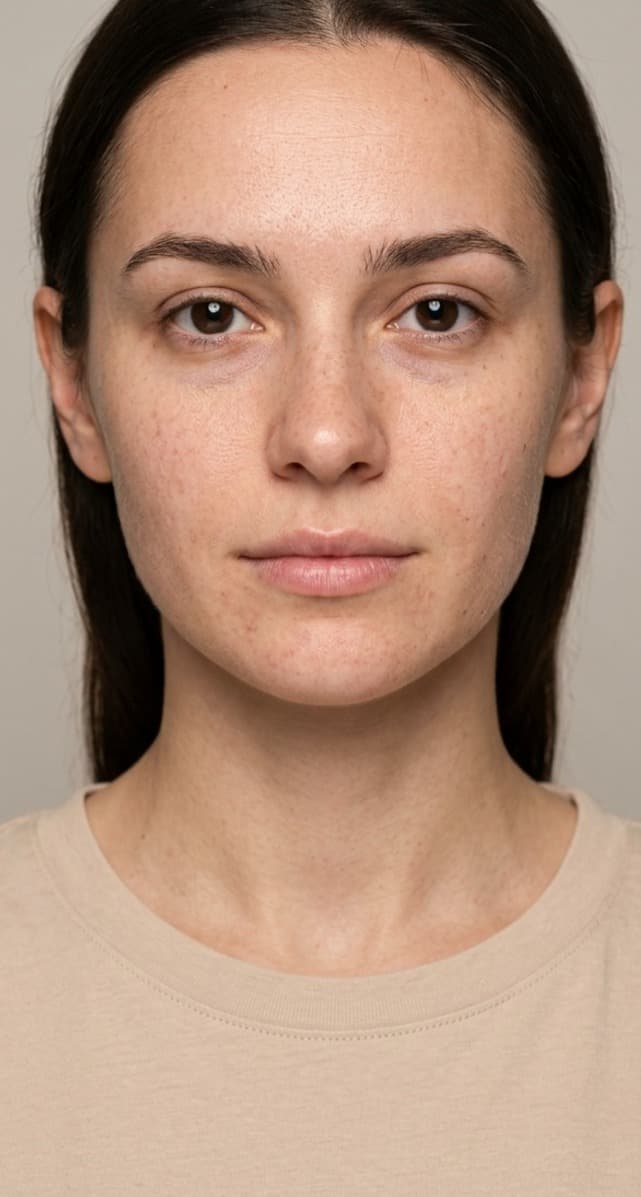 Free skin analysisScan nowStill guessing your skincare?🔗 Scan your skinOiliness 36%Redness 32%Dark Circle 25%What's your skin telling you?Free AI skin analysis · link in bioTake one selfieOiliness 36%Redness 32%Dark Circle 25%See 13 concerns, scored
 Shop your routine →
Sell the scan, not the serum
Ads that list product features compete with every other product ad. An invitation to a free skin analysis is a different offer — let the scan introduce the product.
New Vitamin C Serum
30ml · brightening · with hyaluronic acid. Shop now.
Shop nowWhat does your skin actually need?
Take a free AI skin analysis — one selfie, your concerns scored, a routine picked for you.
Scan my skinChannel by channel, what to post
Pick a channel: why it works, what to do, copy you can paste and the creatives to download.
Start with your homepage
Visitors should know within seconds that they can get a personal shopping journey. Put the invitation where they already look — not three clicks deep.
- A homepage banner with an invitation, not a product
- The floating scan button on every page (popup mode)
- An entry point on product pages: “Not sure it's for you? Scan your skin”
- An announcement-bar line pointing to the scan
Ready-made creatives, yours to edit
Download the files, or duplicate the Figma file and make them yours — your photos, colors and copy.
- Your BrandFind your skincare in one selfieFree AI skin analysis — your concerns and the products picked for your skin.Scan my skinWebsite bannerHomepage hero & sections⬇ Download
- Oiliness 36%Redness 32%Dark Circle 25%What's your skin telling you?Free AI skin analysis · link in bioInstagram postSquare feed post⬇ Download
- YB Your BrandStill guessing your skincare?🔗 Scan your skinInstagram storyVertical, with a link sticker⬇ Download
- Take one selfieOiliness 36%Redness 32%Dark Circle 25%See 13 concerns, scoredShop your routine →SlideshowSwipe-through carousel⬇ Download
- I let AI read my skin… 👀♥💬↗@yourbrandOne selfie, 13 skin concerns scored #skincareTikTokVertical video cover⬇ Download
- routine for oily skinSponsored · yourstore.comFree AI Skin Analysis | Find Your Skincare RoutineTake one selfie, see your skin concerns scored and shop products picked for your skin.Free skin analysisScan nowGoogle AdsDisplay banners⬇ Download
- YBYour BrandSponsoredStop guessing. One selfie shows your fine lines, pores, redness and more…YOURSTORE.COMYour skin, analyzed in one selfieLearn moreFacebook adFeed ad⬇ Download
Your first four weeks
A simple plan to launch the scan and keep shoppers coming back to it.
- Week 1
Announce
- Homepage banner + floating scan button
- Story: “New: free skin analysis”
- Email your list the invitation
- Week 2
Show it working
- Film a real scan for Reels / TikTok
- Carousel: selfie → concerns → routine
- Search ads on concern keywords
- Week 3
Give a reason to buy
- Switch on the discount banner for scanners
- Email the code to new scan leads
- Retarget scanners who didn't buy
- Week 4
Bring them back
- Invite buyers to scan again and compare
- Share the PDF report as a reminder
- Swap creatives that have tired
Words that start scans
Tap to copy, then make it sound like you.
Features that do the marketing
The scanner already brings people back — turn these on and point your campaigns at them.
- %Discount bannerYour offer, shown right after the scan and printed in the PDF.
- ⬇PDF skin reportYour brand in their downloads folder — products, routine and code.
- ✉Lead captureEmails from the scan, synced to Shopify Customers and Klaviyo.
- ↺History & compareA reason to come back: see what changed since the last scan.
- 📊GA & Pixel eventsEvery step tracked, ready to build retargeting audiences.
Marketing resources, answered
Yes. Every banner is in the shared Figma file — duplicate it, swap in your photos, colors and copy, and export.
Website banners, Instagram posts and stories, TikTok creatives, Google Ads banners and Facebook ads.
To the page where your scanner lives — a landing page with the scan section, or any page with the floating button — not to a product page.
Connect Google Analytics, GTM or Facebook Pixel: the scanner reports opens, scans, quiz answers, products viewed, add-to-carts and checkouts.
Yes. The discount banner only appears in the scan results and the PDF, so the code tells you which orders came from the scan.
Launch the scan, then tell everyone
Add Face Age to your site — with the SDK, a plugin or the Shopify app — then use this kit to get shoppers to it.